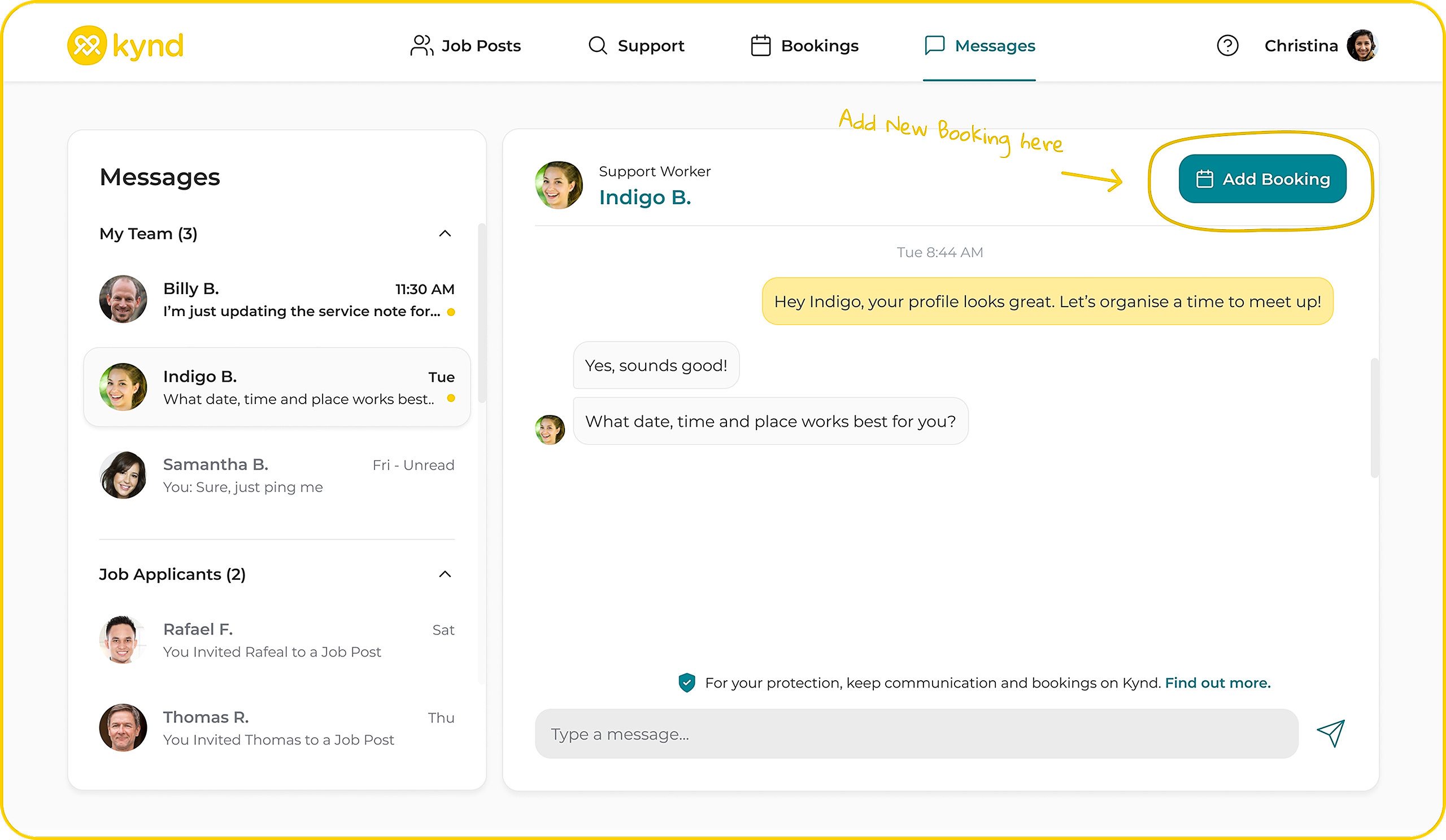

Go to 'Messages' to see a list of Support Workers you can send messages to.
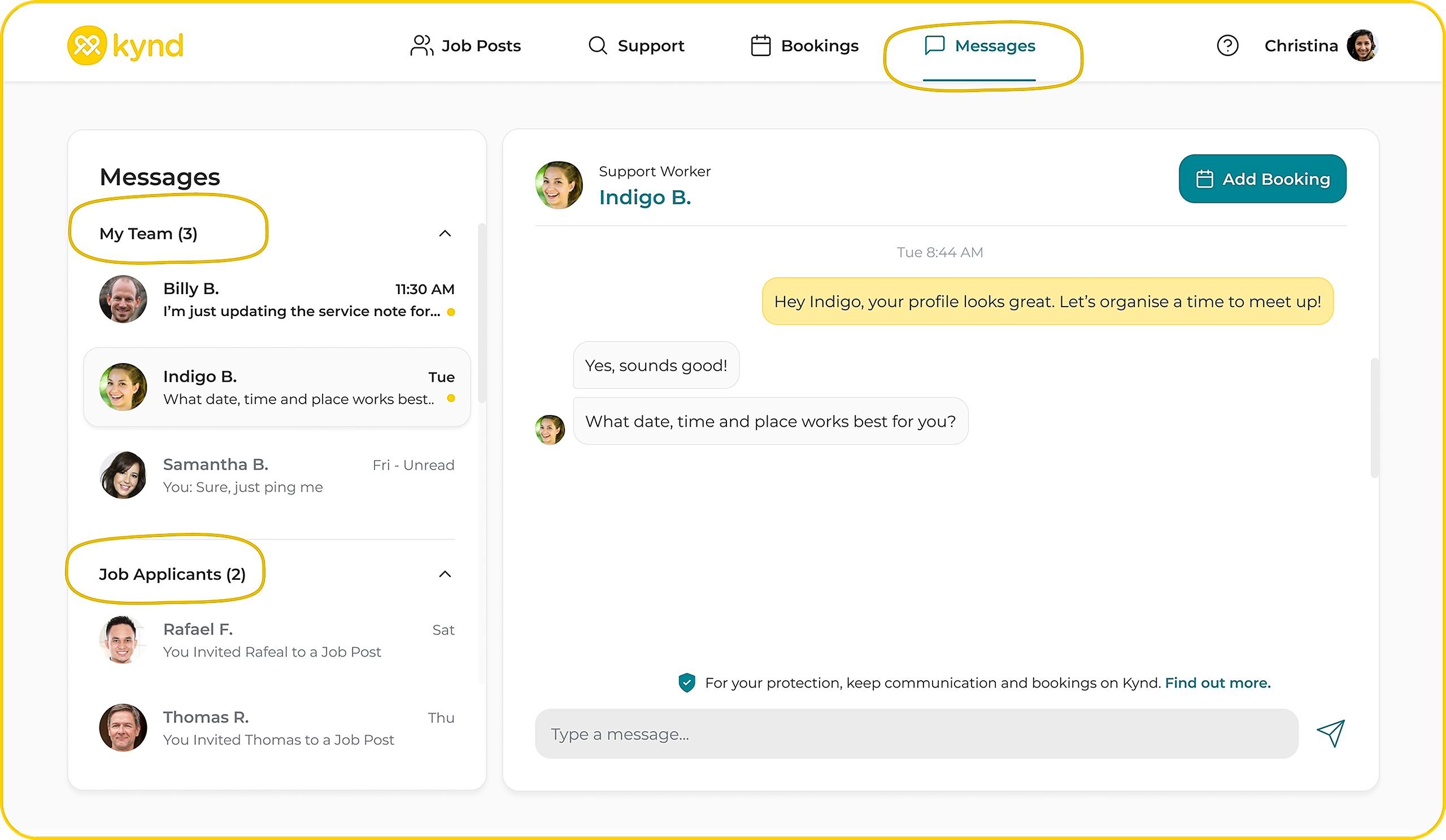
Here you'll see;
'My Team' > Support Workers you have past and upcoming bookings with.
'Job Applicants' > Support Workers who have applied to your job posts.
Messages are a great way to;
Chat with job applicants to gain a greater understanding if they're the right fit for you.
Organise a 'Meet & Greet'
Organise times, dates and service specifics for future bookings.
When you are ready to add a new booking, click New Booking in the top right of your messages.